


PayPal is a mainstream payment method for independent websites, and there are many plugins for integrating with it. Today, we will use the WooCommerce PayPal Payments plugin as an example. This plugin is the official payment plugin of WooCommerce and is widely used, but it also has some minor issues.
Step 1: Search for and download the plugin in the background.
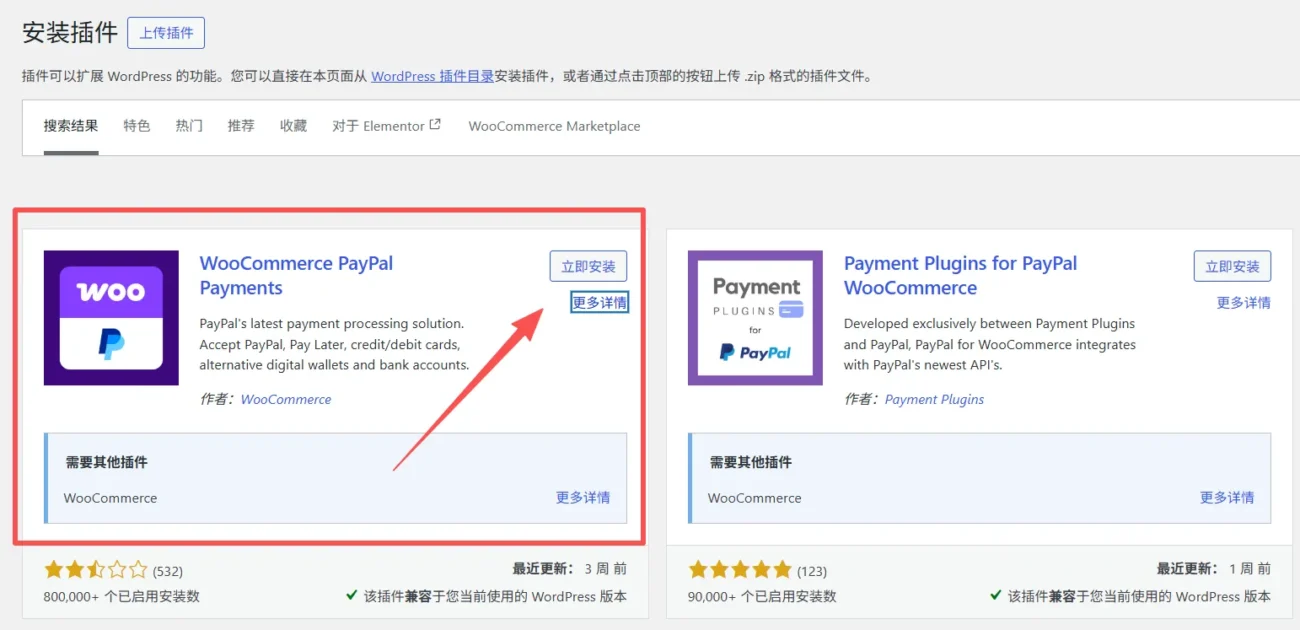
Step 2: Automatically connect your PayPal account via the backend.
Remember to disable the caching plugin in the background before this step. Caching plugins can sometimes block our PayPal API calls. After entering the plugin page, simply click "Activate PayPal Payment" and correctly fill in your PayPal account to connect.

If this step fails to connect automatically or gets stuck on a page, return to the WordPress admin panel and connect manually.
Step 3: Manually connect your PayPal account
Go to the plugin's automatic connection page, scroll down to the bottom, find the "Advanced" option, click to open it, and you will see a "Manual Connection" option. Enable this manual connection and go to your PayPal account to copy your ID and key.
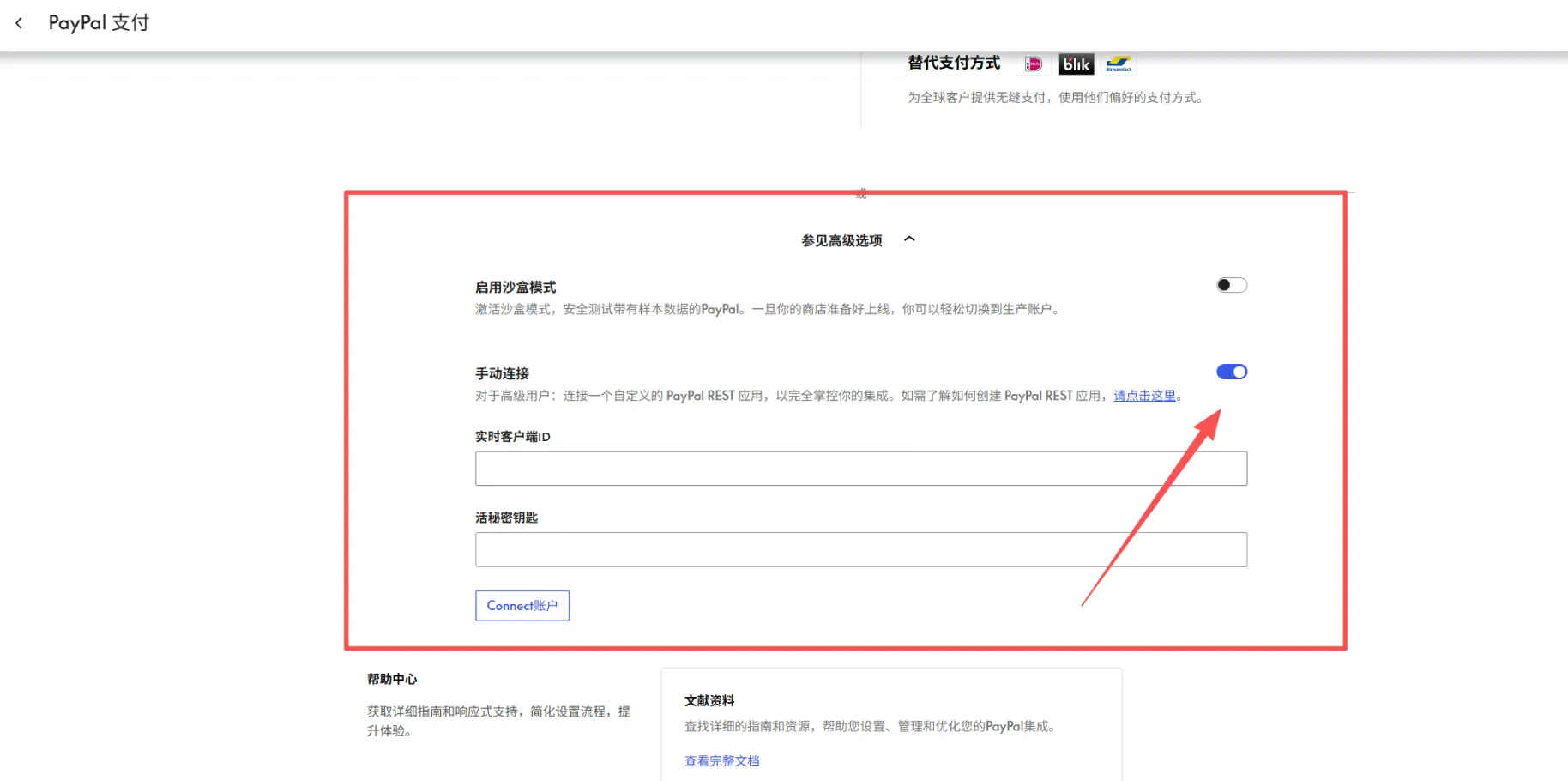
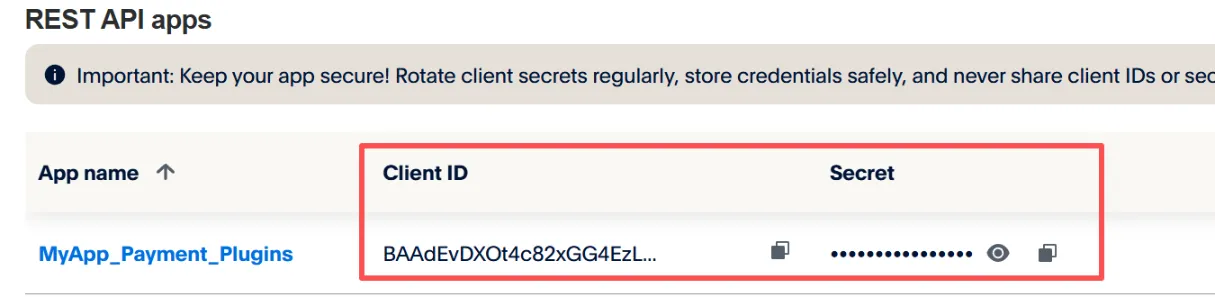
Step 4: Go to your PayPal account backend, create an application, and obtain your PayPal ID and key.
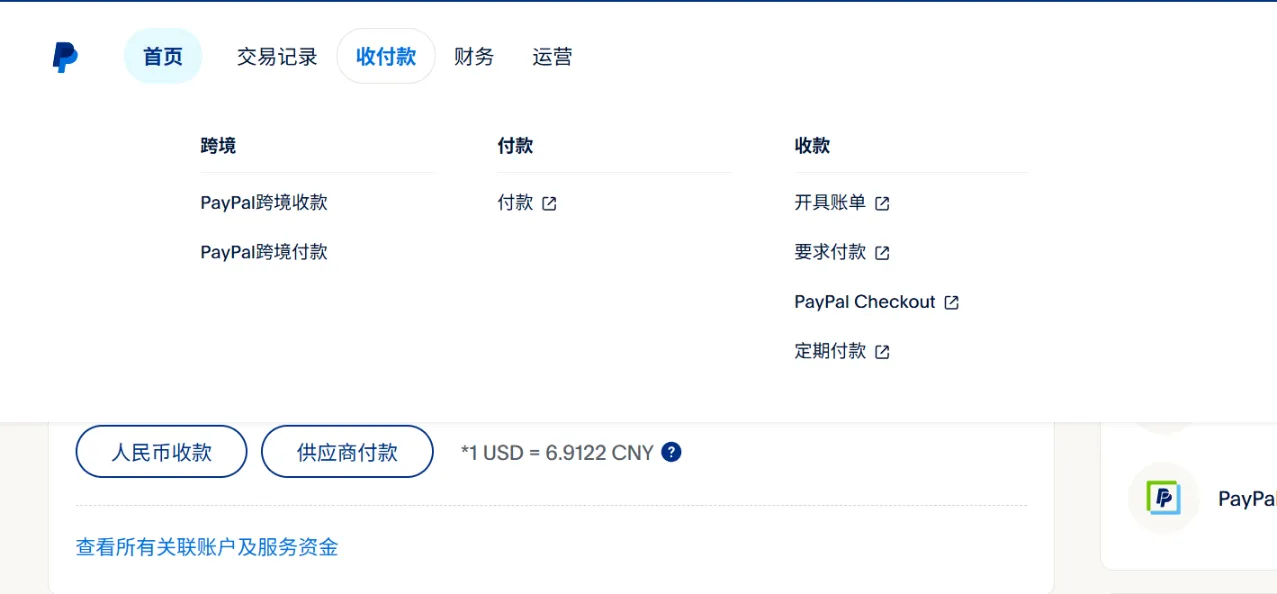
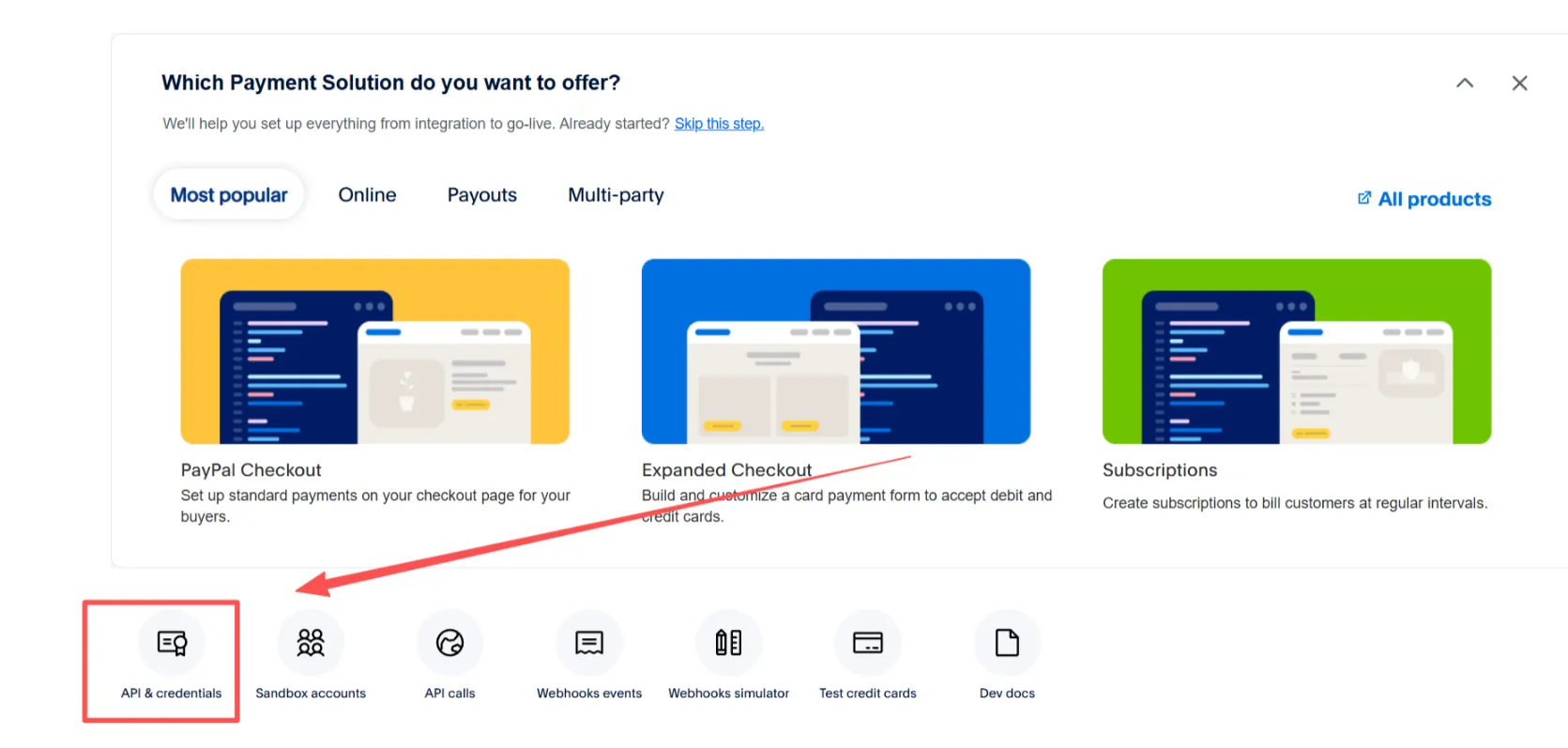
Go to your PayPal account, click on "First Payment" at the top, and then select "PayPal checkout" on the right to access your developer account.
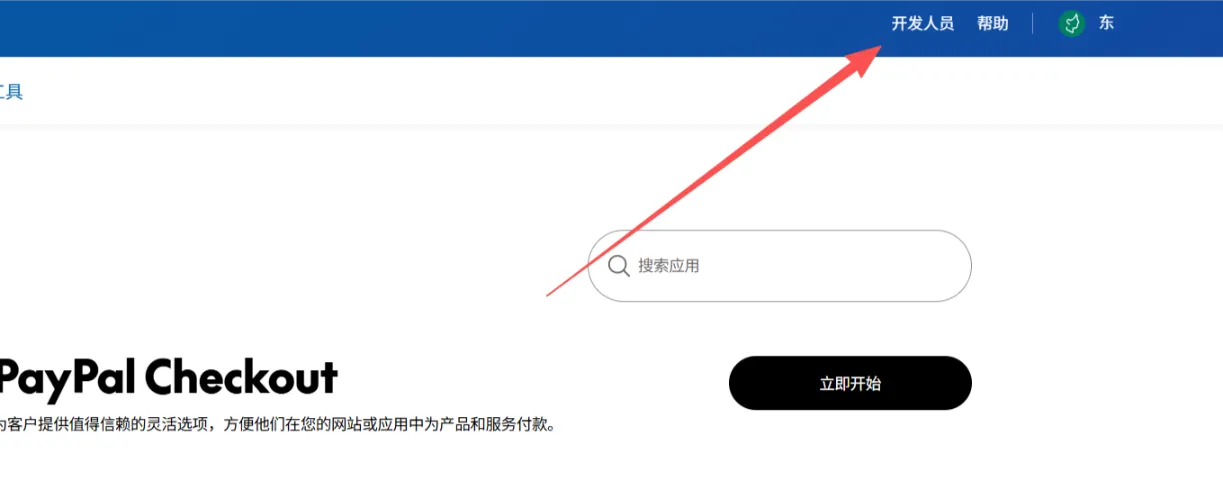
Click on the developers in the upper right corner.
Click on API to proceed to the application creation steps.
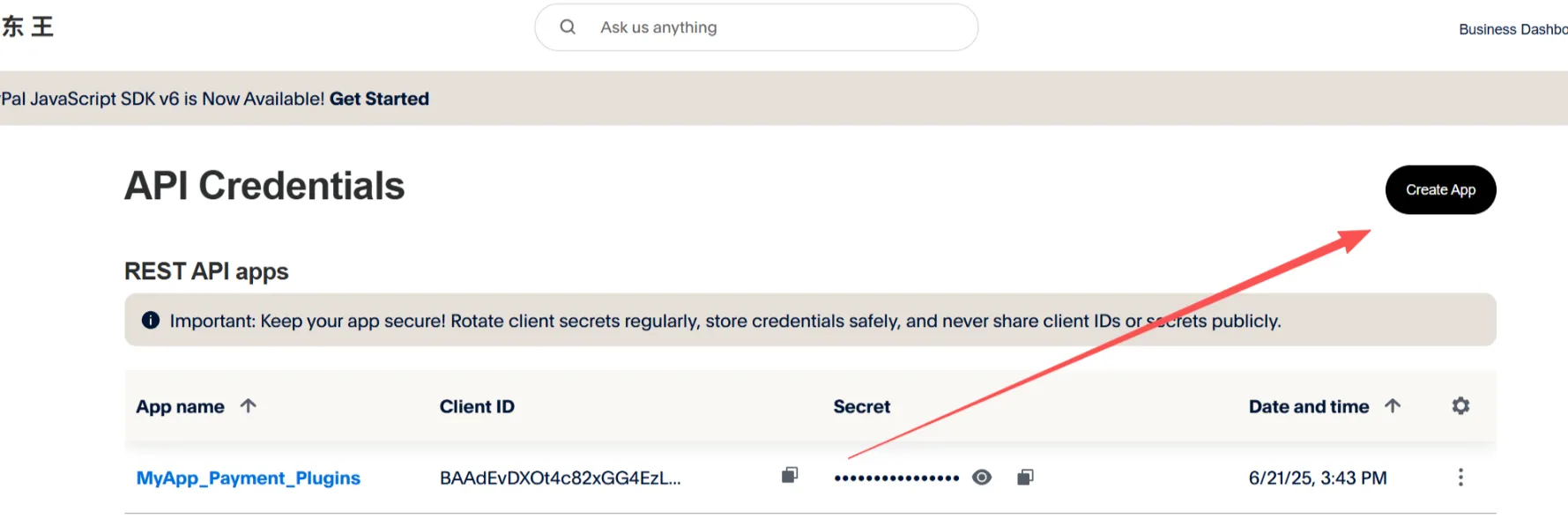
Click "create App" in the upper right corner to create an application.
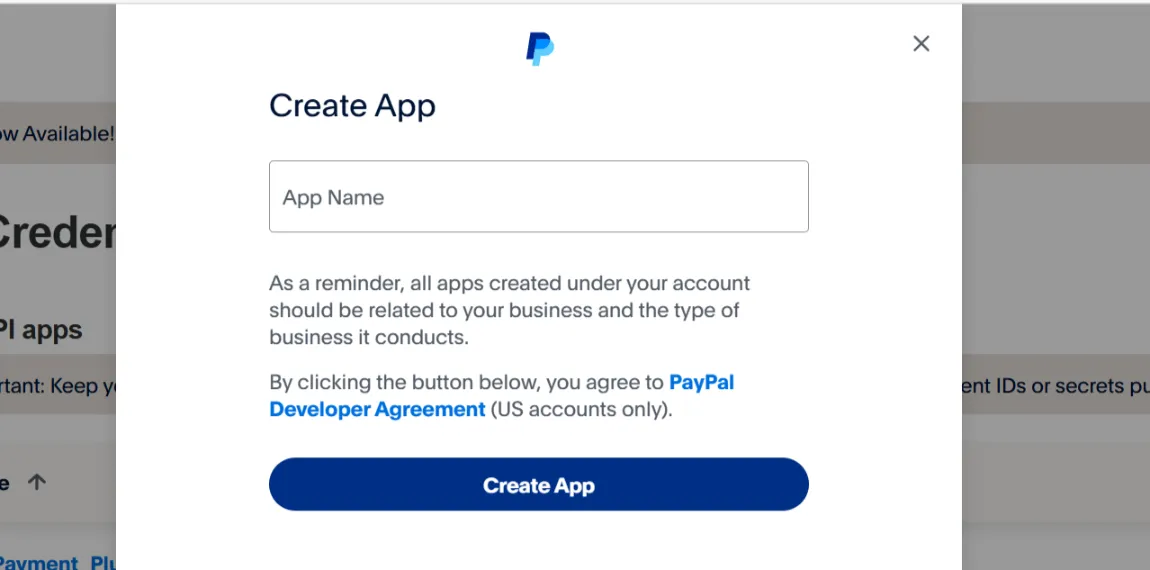
After correctly entering your website name, copy the ID and key back to your WordPress admin panel to manually connect.
The above steps complete the process of integrating PayPal payments into your independent website. For any website building questions or if you would like us to build your website, please contact us.
Contact Us